
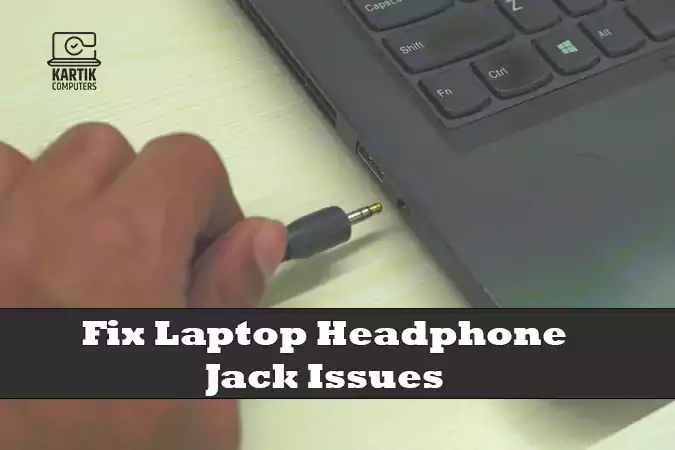
Fix Laptop Headphone Jack Issues in Nagpur: Expert Repair Services at Kartik Computers
Are you struggling with a laptop headphone jack that’s not working properly? Whether you’re not getting any sound, the headphone jack is physically damaged, or your laptop is not recognizing headphones, these issues can be frustrating. At Kartik Computers, we specialize in laptop headphone jack repair in Nagpur. Our expert technicians can quickly diagnose and repair any headphone jack issues to restore your laptop’s sound functionality.
Common Headphone Jack Issues on Laptops
If you’re experiencing problems with your laptop’s headphone jack, you’re not alone. Here are some common issues that users face with their headphone jacks:
- No Sound from Headphones: When you plug in your headphones, the sound may not transfer from the laptop speakers to the headphones.
- Static or Distorted Sound: Sometimes, the sound may come through but be distorted or have static noise, making it hard to enjoy audio.
- Headphone Jack Loose or Worn Out: If your headphone jack is loose or physically damaged, your headphones may not stay connected properly, causing audio issues.
- Laptop Fails to Detect Headphones: This issue occurs when the laptop doesn’t recognize that headphones have been plugged in, continuing to play sound through the built-in speakers.
- Broken or Jammed Headphone Jack: The headphone jack can become physically damaged or jammed, preventing it from making a proper connection with your headphones.
- Software and Driver Problems: Sometimes, outdated or corrupted audio drivers or software issues may prevent your laptop from properly switching to headphone output.
How Kartik Computers Can Help with Headphone Jack Issues in Nagpur
At Kartik Computers, we offer specialized services to repair and resolve laptop headphone jack issues. Our technicians are skilled in diagnosing and fixing all kinds of headphone jack problems. Here’s how we can help you:
- Headphone Jack Repair: If your headphone jack is physically damaged or malfunctioning, we can repair or replace the port to restore sound functionality.
- Driver Updates and Software Fixes: We’ll check your laptop’s audio drivers and software settings to ensure everything is working correctly for seamless headphone use.
- Physical Repair of the Jack: In cases of wear and tear, where the jack is loose or worn out, we’ll carefully replace the damaged parts with high-quality components.
- Audio Jack Diagnostic Services: If you’re unsure of the cause, our technicians will run thorough diagnostics to identify the problem and offer the most effective solution.
- Affordable and Fast Service: We offer affordable rates and prioritize quick repairs, so you don’t have to wait long to get your laptop’s audio system back to full functionality.
Why Choose Kartik Computers for Headphone Jack Repair in Nagpur?
When it comes to repairing your laptop’s headphone jack, it’s important to choose a service provider that is reliable, experienced, and professional. Here’s why Kartik Computers is the best choice for headphone jack repair in Nagpur:
- Experienced Technicians: Our team consists of highly skilled technicians who have years of experience in diagnosing and repairing headphone jack issues across a variety of laptop brands and models.
- Quick and Reliable Repairs: We understand how inconvenient it is when your laptop’s headphone jack stops working. That’s why we offer quick turnaround times without compromising on the quality of repairs.
- Affordable Pricing: We offer competitive pricing on all laptop headphone jack repairs, with transparent quotes and no hidden charges.
- Use of High-Quality Parts: For replacements, we use only high-quality, compatible parts to ensure the longevity and proper functionality of your laptop.
- Excellent Customer Service: At Kartik Computers, we prioritize customer satisfaction. Our friendly and professional team ensures that you have a hassle-free repair experience.
How to Prevent Future Headphone Jack Issues
Once your headphone jack is repaired, here are some tips to prevent future issues:
- Avoid Forceful Plugging: When inserting your headphones, always do so gently. Forcing the jack into the port can cause internal damage over time.
- Keep the Port Clean: Dust, dirt, and lint can accumulate in the headphone jack, leading to poor connection. Use a soft cloth or compressed air to clean it regularly.
- Use Quality Headphones: Low-quality or incompatible headphones can sometimes cause damage to the headphone jack. Use quality headphones that are well-suited for your laptop’s audio port.
- Store Your Laptop Properly: Avoid placing your laptop in places where it may get jostled or where the headphone cable could be bent or damaged.
Visit Kartik Computers for Expert Headphone Jack Repair in Nagpur
If your laptop’s headphone jack isn’t working properly, don’t wait for the issue to worsen. Kartik Computers offers fast, affordable, and reliable headphone jack repair services in Nagpur. Whether the jack is damaged, not recognized by your laptop, or causing poor sound quality, our team of experts is here to help.
Contact us today to schedule a repair or bring your laptop to our service center for a free diagnostic. Let us take care of the issue and get your laptop’s audio system back in top shape.
